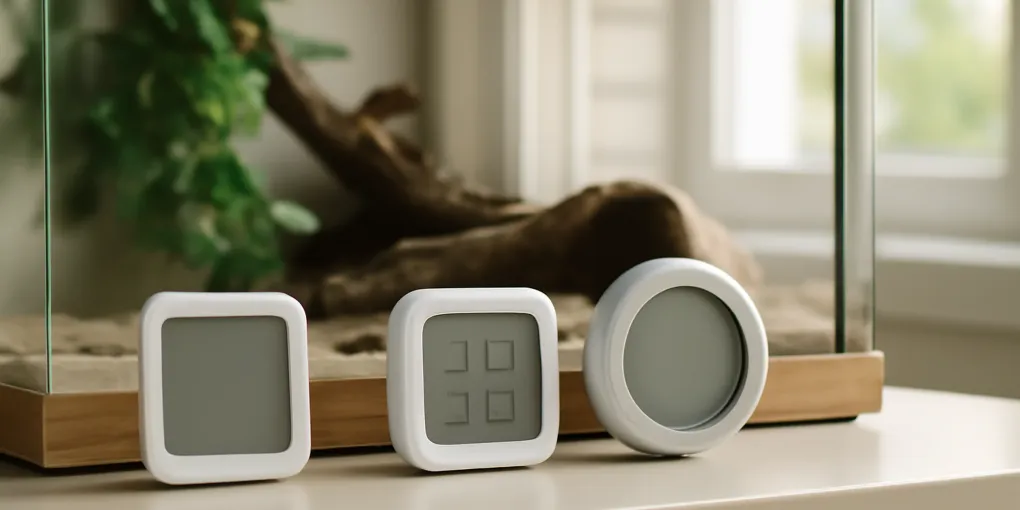
Pet Room Temperature Sensors Compared: Govee H5075 vs SensorPush HT1 vs YoLink X3
Buyer's GuideGovee H5075
Best low-cost local displayConnectivity: Bluetooth to a nearby phone
Quick picks
| Product | Key Specs |
|---|---|
| See price on Amazon |
|
| See price on Amazon |
|
| See price on Amazon |
|
Product availability, certifications, and retailer details can change; check the current Amazon page before buying.
The Govee H5075 is the simplest choice when someone wants an inexpensive local display and Bluetooth history in one room. The SensorPush HT1 is better for compact app-based logging and can add remote access through the optional G1 gateway. The YoLink X3 fits a larger multi-room or outbuilding system where long hub range matters. None of them controls heat, guarantees an alert, or replaces an enclosure thermostat.
Quick decision matrix
| Situation | Best fit | Why | Main limitation |
|---|---|---|---|
| Check one pet room at a glance | Govee H5075 | Built-in display and bounded Bluetooth setup | Phone alerts are local-range, not away-from-home monitoring |
| Review detailed history from a nearby phone | SensorPush HT1 | Compact sensor and mature logging approach | No screen; remote access needs the separate G1 gateway |
| Monitor several distant rooms | YoLink X3 | Long-range hub ecosystem | More components and cloud-path dependencies |
| Control a reptile heater | None | These are monitors, not load-rated thermostats | Buy the correct safety controller for the heat source |
| Protect against internet failure | None alone | App alerts need an end-to-end communication path | Add independent local alarms and a written response plan |
Best low-cost local display: Govee H5075
The Govee H5075 combines an LCD display with Bluetooth app logging. Check Govee H5075 Hygrometer Thermometer on Amazon. It is useful in a climate-controlled pet room where a household member passes the display and a nearby phone can sync history.
Choose it when the display itself changes behavior: a caregiver can see an unexpected room reading before opening cages or starting misting. It also avoids adding a hub for basic local use.
Skip it when the job is “alert me from across town.” The H5075 product lane is Bluetooth. Govee sells other Wi-Fi and gateway products, but a listing that says H5075 should not be assumed to gain internet access from the app alone. Verify the exact model number on the product, box, and manual.
Best compact logger: SensorPush HT1
The SensorPush HT1 is a small Bluetooth temperature and humidity sensor designed around app history rather than a built-in display. Check Sensorpush HT1 Pet Room Monitor on Amazon. It suits an owner who wants to inspect overnight swings, HVAC cycles, or humidity trends from a phone within Bluetooth range.
Remote access requires the compatible SensorPush G1 WiFi Gateway. Price and place that gateway before assuming off-site notifications. One gateway can change the value of a multi-sensor setup, but it also adds power, Wi-Fi, internet, account, and app dependencies.
Choose it for logs and compact placement. Skip it when a sitter needs a number without installing the app, or when a visible room display is the primary requirement.
Best long-range system: YoLink X3
The YoLink X3 Temperature & Humidity Sensor operates in the YoLink hub ecosystem, which uses long-range LoRa communication between sensor and hub. Check Yolink X3 Temperature Humidity Sensor on Amazon. It is the most plausible fit here for a detached bird room, basement aquarium area, or several pet spaces spread through a large property.
Range between sensor and hub is only one link. Remote notifications also depend on hub power, router and modem power, internet service, account configuration, app permissions, and the phone. Confirm whether the exact X3 variant includes a display, the supported humidity range, battery format, and alert rules before ordering.
Choose it for a planned multi-room system. Skip it when one local screen and no hub would solve the actual problem.
Price the complete monitoring path
The sensor price is not the system price. For the H5075, include the cost of the nearby phone or tablet that will sync Bluetooth history. For SensorPush, add the G1 gateway when off-site access is required. For YoLink, add a compatible hub and confirm whether the chosen starter kit already includes one.
Record these costs before comparing carts:
| Cost or dependency | Govee H5075 | SensorPush HT1 | YoLink X3 |
|---|---|---|---|
| Sensor battery | Replaceable; confirm current manual | Coin cell; confirm current HT1 specification | Confirm exact X3 battery and interval |
| Gateway for off-site view | Not an H5075 feature | Optional G1 required | Compatible YoLink hub required |
| Visible reading for a sitter | Built-in display | Sitter needs app or another display | Depends on exact X3 variant |
| Internet outage behavior | Local display and stored local data still matter | Bluetooth access may remain; remote path fails | Sensor-to-hub radio may remain, but cloud alert path can fail |
| Expansion decision | Buy a different Govee ecosystem model for remote needs | One G1 can serve compatible SensorPush devices | Hub ecosystem favors several distant sensors |
Do not assume a bundle title is accurate. Match the model identifier in the listing, carton, device label, app, and manual before mounting anything in a pet room.
Check readings before setting tight alerts
Place new sensors side by side in stable room air for several hours, away from sun, vents, exterior walls, water, and body heat. They will not necessarily display identical values because response time, resolution, calibration, and humidity-sensor tolerances differ. A persistent large disagreement is a reason to check specifications and support, not to average the numbers blindly.
For a reptile basking surface or aquarium water, compare against the correct independent instrument rather than this room-air cluster. For a bird or small-mammal room, move the chosen sensor to occupied height only after the side-by-side check.
Set alert thresholds with enough margin to avoid nuisance alarms but early enough for a caregiver to act before conditions become dangerous for the particular animal. Then test a real notification above and below the threshold. An alert that is constantly silenced because normal HVAC cycling crosses the line is not a working safety system.
Match sensor type to the animal risk
A room sensor is appropriate for detecting HVAC drift in a room housing mammals, birds, aquariums, or enclosures. It does not describe every microclimate.
Reptiles
Use the room monitor as a secondary alarm. A reptile enclosure needs a species-appropriate thermal gradient measured with probes at the basking zone, warm hide, and cool area as applicable. Heat mats, ceramic emitters, and lamps require correctly selected control and independent verification. Do not put a room sensor inside an enclosure unless its specifications, mounting, battery safety, moisture resistance, and animal access make that safe.
Aquariums
Room temperature can explain why an aquarium heater works harder, but water temperature needs an independent aquarium thermometer. A room sensor cannot detect a stuck heater quickly when water remains warmer than the room.
Birds and small mammals
Place the sensor near occupied height but outside chewing and beak reach. Avoid cage covers that trap a sensor in a warmer pocket than the breathing zone. Humidity readings beside a humidifier plume are not representative of the room.
Dogs and cats
Remote room monitoring is useful for HVAC failure, but an alert threshold must reflect the individual animal, ventilation, sun exposure, water access, age, coat, airway anatomy, and health. Do not use one universal “safe pet temperature” copied from a product app.
Placement errors that create false confidence
- Direct sun: A dark sensor on a windowsill can read solar heating, not room air.
- Supply vent: Cold or hot airflow reports HVAC output rather than the occupied zone.
- Exterior wall: The wall surface can bias the reading.
- Humidifier mist: Condensation distorts humidity and can damage an unsuitable device.
- Top of a rack: Warm air near the ceiling misses a lower cage or floor pen.
- Inside a chew zone: A coin-cell or plastic housing can become an ingestion hazard.
Mount at the animal’s occupied height in free air, protected from contact. Put a second sensor at the most plausible hot or cold point when the room has a window, loft, exterior door, or stacked enclosures.
Test the whole alert chain
A monitor is only useful if a person receives the alert and can act. Run a controlled test before relying on it:
- set a temporary threshold close to current room conditions;
- confirm the sensor records the change;
- confirm the phone alerts while locked and on cellular data;
- unplug the hub, router, and sensor one at a time and note what warning appears;
- disable Bluetooth or Wi-Fi and observe whether data are stored and later synchronized;
- test a second caregiver account;
- document who can physically reach the animals if the owner is away.
Restore the real thresholds after testing. Repeat after changing phones, batteries, routers, app permissions, or daylight-saving schedules.
Build an outage plan, not just a dashboard
Remote alerts can fail during the event they are meant to report. Put the sensor or hub on backup power only after checking its voltage and manufacturer guidance; do not improvise battery wiring. A UPS for the router does not help when the neighborhood internet node is down.
The response plan should name:
- the person with a key;
- the safe destination for each animal;
- carriers and transport supplies;
- how aquarium aeration, reptile heat, and climate control will be maintained;
- the maximum response time based on the actual animal and enclosure;
- the veterinarian or emergency service to call for exposure symptoms.
Two product-specific distinctions decide this comparison: the H5075’s local screen works without opening an app, while SensorPush and YoLink require separate gateway or hub components for off-site access. Treating all three as generic “Wi-Fi thermometers” would produce the wrong purchase.
Sources
- Govee, H5075 product specifications: https://us.govee.com/products/govee-bluetooth-hygrometer-thermometer-h5075
- SensorPush, HT1 product specifications and gateway compatibility: https://www.sensorpush.com/products/p/ht1
- YoSmart, YoLink X3 Temperature & Humidity Sensor product page: https://shop.yosmart.com/products/ys8003
- National Institute of Standards and Technology, Temperature and Humidity Measurement guidance: https://www.nist.gov/pml/owm/si-units-temperature
Frequently Asked Questions
- No. A room monitor reports conditions; a correctly selected thermostat controls the heat source. Enclosure gradients still need probes placed where the animal actually experiences heat.
- Not unless the sensor, hub, router, modem, internet service, and phone notification path all remain available. Test the exact failure modes and use independent alarms where risk requires them.
- Place it at the animal's occupied height, away from direct sun, vents, humidifier mist, heaters, and exterior walls. Use separate probes for enclosures with thermal gradients.